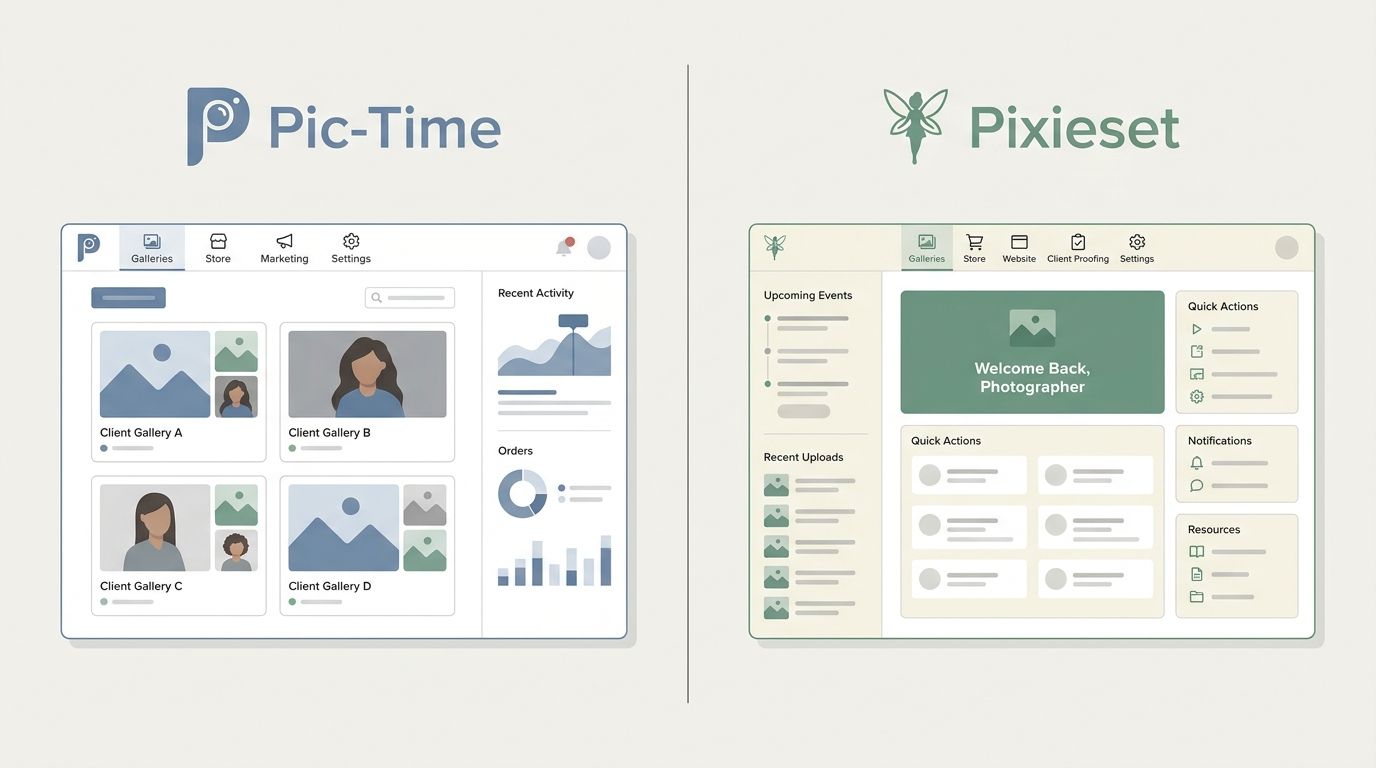
What is the best client gallery platform for photographers in 2026 — Pic-Time or Pixieset?
Quick answer: Pic-Time is the stronger pick for photographers who want automated print-sales follow-up and highly polished gallery aesthetics, while Pixieset is better for photographers who need an integrated website, booking tools, and client galleries under one subscription. At comparable storage tiers the annual subscription costs are similar, but commission structures, workflow integrations, and business-type fit are the real deciding factors.
Pic-Time or Pixieset? Compare pricing, commissions, print sales, Lightroom integration, and client UX — with real cost scenarios — to find the best fit for your photography business in 2026.
Prices last verified: article publication date. Always confirm current figures on each vendor's official pricing page before subscribing. Photography Launchpad has no paid affiliate relationship with either platform at the time of writing; if that changes, a disclosure will be added here.
Key Takeaways
- Pic-Time is built for sales automation: abandoned-cart emails and campaign tools are included out of the box.
- Pixieset Suite bundles a website, studio manager, and galleries together, reducing the need for separate tools.
- Commission fees vary by plan and payment method on both platforms — always check official fee documentation.
- Both platforms offer a Lightroom Classic publishing plugin for direct upload from your catalog.
- Pricing at comparable storage tiers is close; verify current figures on each vendor's pricing page.
- Migrating between platforms takes roughly five steps and requires careful client communication.
- Neither platform is universally cheaper. Your print-sales volume determines the true cost difference.
At-a-Glance Comparison: Pic-Time vs Pixieset
Here's the reality: Pic-Time and Pixieset solve overlapping problems, but they attack the photography business from opposite angles. Pic-Time is a sales-automation platform wrapped around beautiful galleries. Pixieset is a business suite where galleries are one tile in a bigger grid. Everything else — pricing, commissions, Lightroom integration — flows from that core difference.
Pic-Time vs Pixieset: Feature and Pricing Overview
| Feature | Pic-Time | Pixieset |
|---|---|---|
| Starting plan (annual, approx.) | Verify on Pic-Time pricing | Verify on Pixieset pricing |
| Storage on entry plan | Tier-dependent — see official pricing | Tier-dependent — see official pricing |
| Commission on print sales | Varies by plan + payment collection method | Charged on free plan; removed on paid plans (processing/lab costs remain) |
| Lightroom Classic plugin | Yes | Yes |
| Gallery customization | Editorial, template-driven | Clean, minimal, brand-focused |
| Website builder | No | Yes (Suite plan only) |
| Studio manager / booking | No | Yes (Suite plan only) |
| Client mobile app | Mobile-optimized galleries | Mobile-optimized galleries |
| Marketing automation | Built-in campaigns and abandoned-cart emails | Lighter — basic promo and email tools |
| Free plan or trial | Free trial available | Free plan + paid trials |
⚠️ Prices change — always verify. Pricing in this article reflects publicly available information at the time of writing. Confirm every figure on Pic-Time's pricing page and Pixieset's pricing page before subscribing. Plans, tiers, and commission structures are updated frequently by both vendors.
Pricing, Storage, and Commissions: What You Actually Pay
Subscription price is the easy part of this comparison. The harder — and more important — question is what you keep after commissions, payment processing, and lab costs. Let's break down the actual costs.
Plan-by-Plan Pricing Snapshot (verify on official pricing pages — figures as of publication)
| Platform | Plan Name | Storage | Annual Price (approx.) | Commission on Print Sales |
|---|---|---|---|---|
| Pixieset | Collection (free) | Limited | $0 | Platform commission applies |
| Pixieset | Client Gallery (paid, mid-tier) | Expanded | See Pixieset pricing | 0% platform commission |
| Pixieset | Suite (bundled website + studio) | Expanded | See Pixieset pricing | 0% platform commission |
| Pic-Time | Starter / lower tier | Limited | See Pic-Time pricing | Higher commission tier |
| Pic-Time | Mid-tier | Expanded | See Pic-Time pricing | Reduced commission tier |
| Pic-Time | Top tier | Largest | See Pic-Time pricing | Lowest / eligible-sale exemptions |
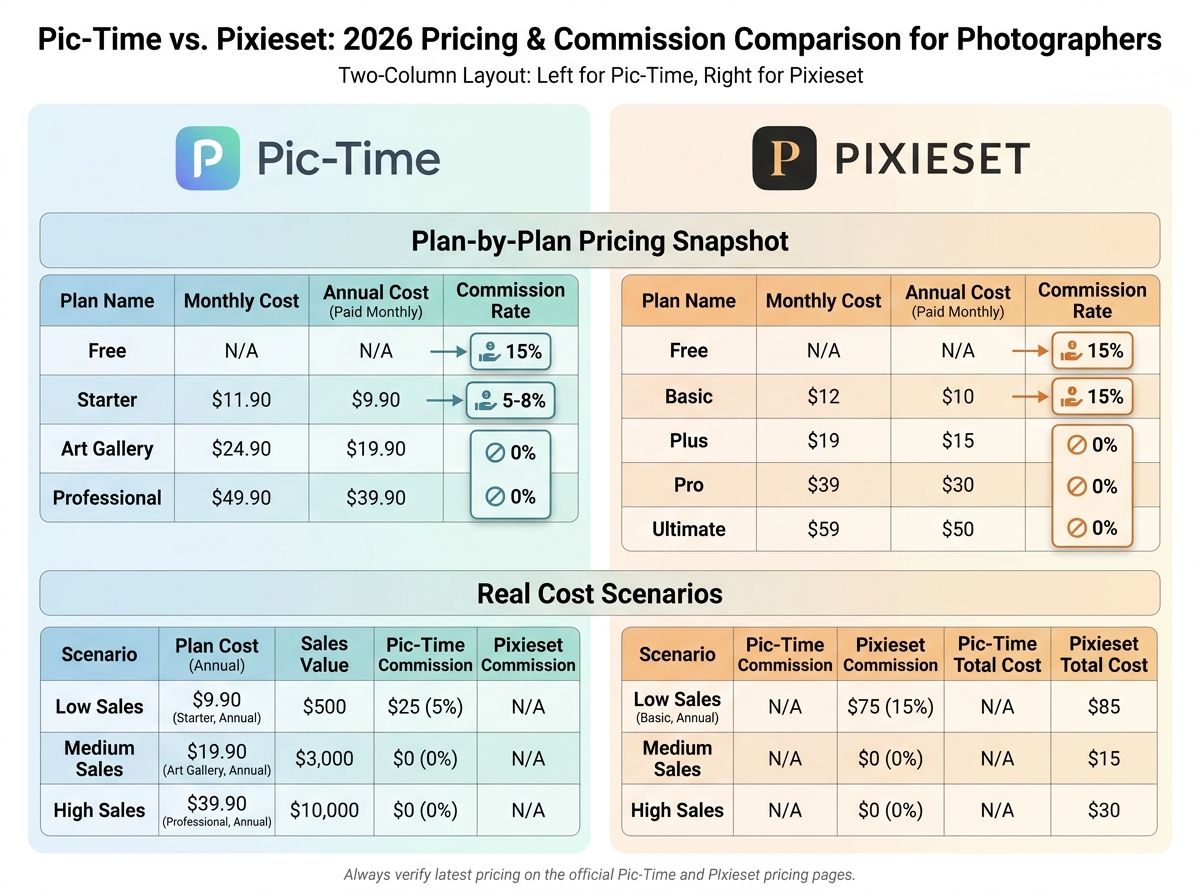
Real Cost Scenario: Net Revenue on a $500 Print Order by Plan
| Platform + Plan | Subscription Monthly Cost (approx.) | Commission on $500 Order | Estimated Net to Photographer* |
|---|---|---|---|
| Pixieset Free | $0 | Platform commission applies — verify rate | $500 minus commission, processing, lab |
| Pixieset Client Gallery (paid) | Mid-range monthly | 0% platform commission | $500 minus processing + lab only |
| Pixieset Suite | Higher monthly | 0% platform commission | $500 minus processing + lab only |
| Pic-Time Starter | Low-to-mid monthly | Higher commission tier | $500 minus commission + processing + lab |
| Pic-Time Mid-tier | Mid-to-high monthly | Reduced commission | $500 minus lower commission + processing + lab |
| Pic-Time Top-tier | Highest monthly | Lowest / exempt on eligible sales | $500 minus minimal commission + processing + lab |
Lab production, shipping, and payment-processing fees are separate from platform commission and apply on both platforms. See the [Pixieset Help Center](https://help.pixieset.com/) and [Pic-Time Help Center](https://support.pic-time.com/en/) for current figures.
💡 Commission math matters more than subscription price. If you sell $10,000+ in prints a year, paying $10–$20 more per month to drop commission rates often pays for itself inside a single wedding season. Run the numbers on your own average annual print revenue before picking a tier. The cheapest plan is rarely the cheapest outcome.
Understanding Pixieset's Commission Structure
- Pixieset charges a commission on the order subtotal on its free Collection plan. On paid Client Gallery and Suite plans, the platform commission drops to zero. Verify the current rate on the Pixieset Help Center — these change.
- Payment processing fees, lab production costs, and shipping still apply even when the platform commission is 0%. "0% commission" is not the same as "100% of the sale."
- Pixieset publishes its commission rules in its help center; check the active documentation before quoting numbers to a client.
Understanding Pic-Time's Commission Structure
- Pic-Time's commission varies by plan tier and by who collects payment — you or Pic-Time. The two collection methods produce different rates, which trips up a lot of photographers comparing plans.
- Higher Pic-Time plans reduce or eliminate the platform commission on eligible sales, which is one reason volume-focused sellers tend to pick the upper tiers.
- See the official Pic-Time pricing page and the Pic-Time Help Center for current figures.
Client Gallery and Delivery Experience
This is where the two platforms feel different the moment a client opens a link. The core features overlap. The visual personality doesn't.
Quick summary of the key differences:
- Cover image style: Pic-Time leans editorial and magazine-like. Pixieset leans clean and minimal.
- Album structure: Both support multi-album collections. Pic-Time's hierarchy is more design-forward.
- Client favorites: Both support favoriting and selection lists.
- Download controls: Both let you set per-image, per-album, and per-gallery download rules.
- Expiry settings: Both support access periods and password protection. Extension workflows differ.
Gallery and Delivery Feature Comparison
| Feature | Pic-Time | Pixieset |
|---|---|---|
| Gallery templates / cover styles | Editorial, cinematic templates | Minimal, brand-first templates |
| Album / collection structure | Multi-album, design-rich | Multi-album, clean hierarchy |
| Client favorite-pinning | Yes | Yes |
| Download permission controls | Granular (per-image/album/gallery) | Granular (per-image/album/gallery) |
| Gallery expiry + access period | Yes, configurable | Yes, configurable |
| Password protection | Yes | Yes |
| Proofing / selection tools | Yes — tier-dependent | Yes — tier-dependent |
| Smart search / AI face search | Yes — see Pic-Time docs | Yes — see Pixieset docs |
💡 Gallery expiry affects client trust. If your access window closes before a client finishes ordering prints, you'll get an angry email. Both platforms let you extend or reopen galleries, but the workflow differs. Document your expiry policy once and include it in your delivery email template.
Gallery Aesthetics and Customization
Pic-Time has built a strong reputation in the wedding and editorial space for premium, magazine-style templates and immersive cover designs. Photographers commonly cite this as the main reason they stay on the platform even when price-comparing alternatives. Pixieset's aesthetic is deliberately cleaner — more gallery wall than magazine spread — which pairs well with lifestyle, portrait, and brand photographers whose work benefits from a quieter frame.
Which one is "better" here depends on your brand. A fine-art wedding brand reads differently inside an editorial Pic-Time template than inside a minimal Pixieset layout. Load a sample gallery in both before deciding.
Client Proofing and Selection Tools
Both platforms support client favorites, star ratings, and selection lists that you can pull back into Lightroom for culling or album design. On both platforms, more advanced selection and proofing tools tend to sit on higher plan tiers — confirm current availability on the Pic-Time Help Center and the Pixieset Help Center.
The workflow for retrieving selections is similar: client favorites a set, you export the list, and you import or filter in your catalog. If proofing is central to your deliverable (album design, IPS consultations), test this flow end-to-end during a trial.
Print Sales and Marketing Automation
Is Pic-Time or Pixieset better for weddings? Pic-Time's built-in campaign automation gives it a clear edge for photographers whose revenue depends on post-delivery print sales. Pixieset Suite is the stronger fit for wedding studios that want booking, contracts, website, and galleries under one subscription. The right answer depends on whether print revenue or workflow consolidation matters more to your business.
Print Sales and Marketing Feature Comparison
| Feature | Pic-Time | Pixieset |
|---|---|---|
| Built-in print lab | Yes | Yes |
| Lab partners | Multiple regional partners | Multiple regional partners |
| Product types | Prints, albums, wall art, gifts | Prints, albums, wall art |
| Abandoned-cart emails | Yes — built-in | Limited / not a core feature |
| Automated campaign sequences | Yes — core feature | Lighter — basic email tools |
| Upsell tools | Yes | Limited |
| Promo codes | Yes | Yes |
| Marketing automation tier-restricted? | Full automation on higher tiers | N/A — automation is lighter overall |
📈 Example: how automation can offset subscription cost. Imagine a wedding photographer delivering 20 galleries a year, each with a potential $400 average print order. If automated follow-up campaigns on Pic-Time recover even three carts a year that otherwise would have gone cold, that's $1,200 in incremental revenue — enough to cover a higher-tier subscription multiple times over. This is hypothetical, not a guarantee, but it illustrates why the campaign system is the single biggest reason photographers pick Pic-Time.
Pic-Time's Campaign and Automation Tools
Pic-Time's campaign engine sends triggered emails at defined points — gallery delivery, mid-access-window reminders, seasonal promotions, and abandoned-cart recovery. Campaigns can run on templates provided by Pic-Time or on sequences you customize yourself. Full automation features are typically tied to higher plan tiers; confirm on the Pic-Time Help Center.
For photographers who treat print revenue as a serious income stream, this is the feature. Setting up your first campaign sequence takes a few hours. After that, it runs quietly in the background.
Pixieset's Print Store and Sales Approach
Pixieset's print store is clean, straightforward, and built around a lighter-touch sales model. You set products, prices, and promos. Clients browse and buy. It works. It doesn't try to orchestrate a multi-week campaign on your behalf.
For photographers who don't want sales automation complicating their workflow — portrait studios doing occasional print orders, lifestyle shooters whose revenue is session-based — that simplicity is a feature, not a flaw. Check the Pixieset Help Center for the current promo and email tool availability by plan.
Integrations: Lightroom, Website Builder, and Studio Management
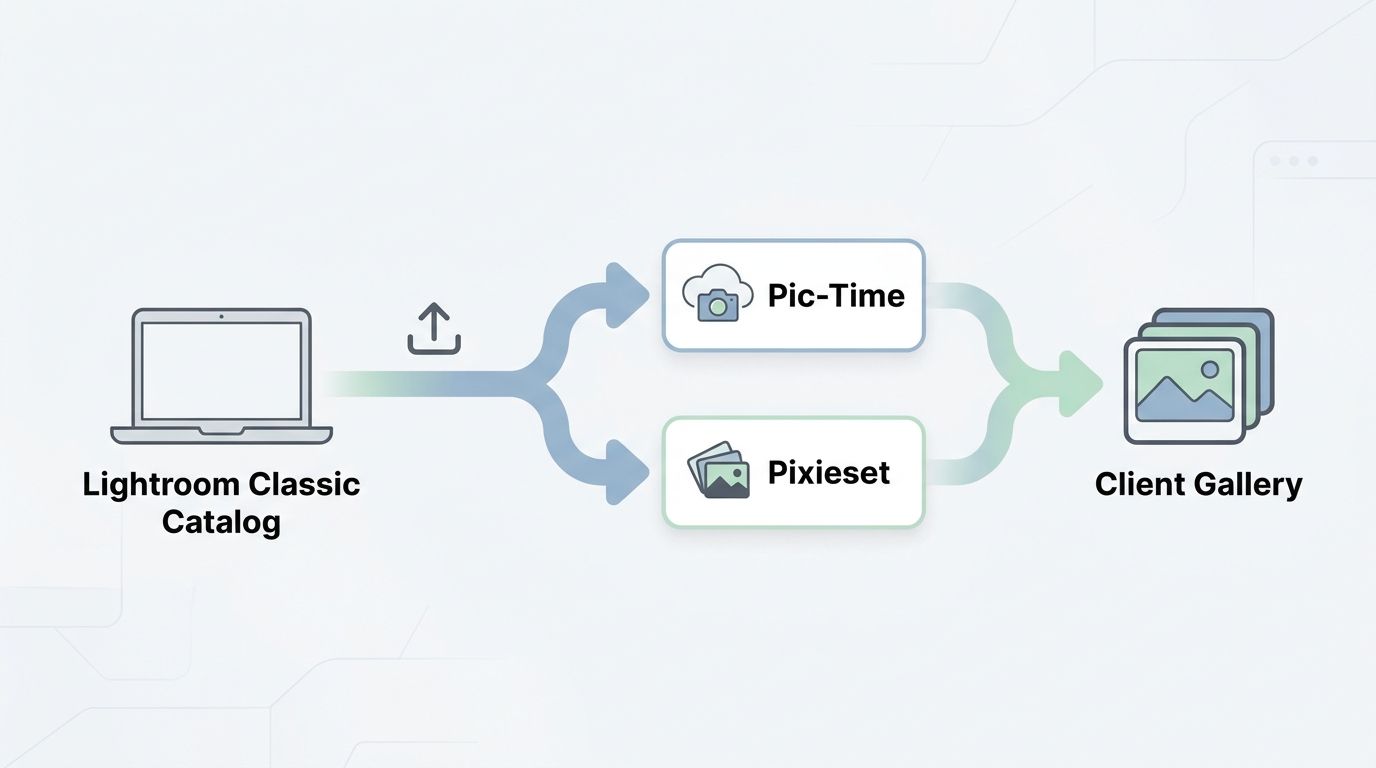
Can I use Pic-Time or Pixieset with Lightroom Classic? Yes — both platforms offer a Lightroom Classic publishing plugin:
- Pic-Time Lightroom plugin — publish directly from a Lightroom collection into a new or existing Pic-Time gallery. See the Pic-Time Help Center for setup.
- Pixieset Lightroom plugin — same core idea: publish from a collection into a Pixieset gallery with sync behavior for re-edits. See the Pixieset Help Center.
Integration and Ecosystem Comparison
| Integration or Feature | Pic-Time | Pixieset |
|---|---|---|
| Lightroom Classic plugin | Yes | Yes |
| Lightroom mobile / cloud | Limited / workflow-dependent | Limited / workflow-dependent |
| Website builder | No | Yes (Suite plan) |
| Studio manager / CRM | No | Yes (Suite plan) |
| Booking + contract tools | No | Yes (Suite plan) |
| Third-party CRM integrations | Varies — check docs | Varies — check docs |
| API / Zapier support | Limited | Limited |
💡 Pixieset Suite vs standalone Client Gallery. The Suite plan bundles the website builder, studio manager, and galleries into one subscription. The standalone Client Gallery plan is galleries only. A lot of photographers compare Pic-Time to Pixieset Suite without realizing those are different plan tiers. Make sure you're comparing the right things when you price-check.
Lightroom Classic Publishing Workflow
Both plugins connect a Lightroom Classic catalog to your gallery platform, so publishing a new job is a drag-and-drop operation rather than an export-then-upload one. If you re-edit an image after delivery, the plugin can push the updated version back to the live gallery. Specific behavior — collection sync rules, resolution handling, metadata preservation — differs between platforms, so check the official docs linked above before building your workflow around a specific feature.
For most working photographers, the plugin is a time-saver worth 15 minutes of setup.
Website and Business Management Tools
Pixieset's Suite plan includes a website builder and a studio manager with booking and contract tools. If you want galleries and your website and your CRM in one dashboard, that's the pitch. Confirm current Suite inclusions on the Pixieset pricing page.
Pic-Time doesn't offer a comparable website or booking tool. If you go Pic-Time, you'll pair it with a separate website host (Squarespace, Showit, Wix, WordPress) and a separate CRM (HoneyBook, Dubsado, Studio Ninja, Táve). That's not a flaw. For photographers already running a mature tool stack, separating galleries from the rest of the business is a feature. For someone building from zero, Pixieset Suite is one fewer decision.
Mobile Client Experience Compared
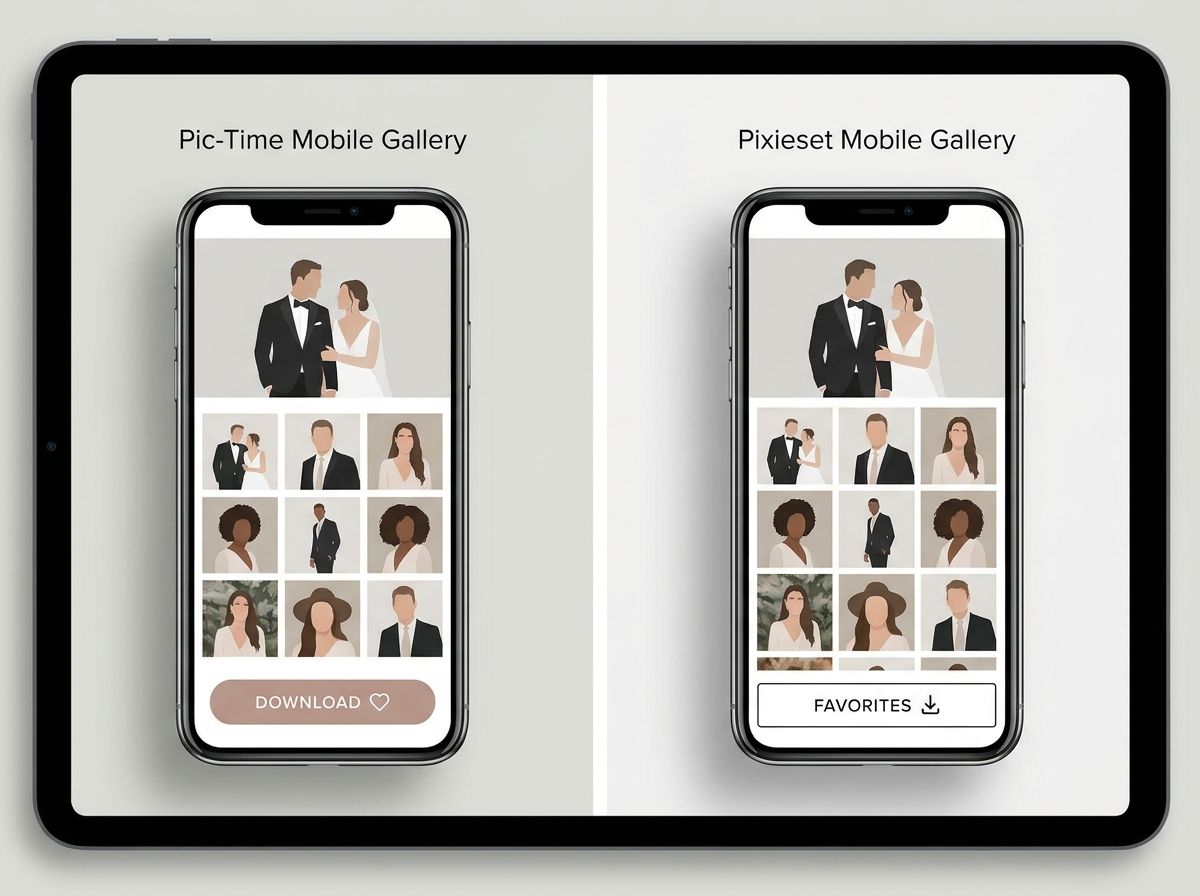
Most clients will view their gallery on a phone first. Some will never view it on anything else. The mobile experience isn't a nice-to-have — it's the primary experience.
Mobile Client Experience Comparison
| Attribute | Pic-Time | Pixieset |
|---|---|---|
| Dedicated client app | Mobile-optimized web galleries | Mobile-optimized web galleries |
| Mobile browser gallery experience | Editorial, full-bleed layouts | Clean, grid-first layouts |
| Download flow on mobile | Supported — per-image and bulk | Supported — per-image and bulk |
| Touch-optimized favorites / selections | Yes | Yes |
| Gallery load on cellular connections | Qualitatively smooth per photographer reports | Qualitatively smooth per photographer reports |
💡 Test the client experience before committing. Sign up for a trial on both platforms, upload a real gallery, and walk through the full download flow on your own phone. Then — this is the important part — hand your phone to someone who isn't a photographer and ask them to download three images and favorite two. Watch where they get stuck. That's your usability audit.
Pros and Cons Summary
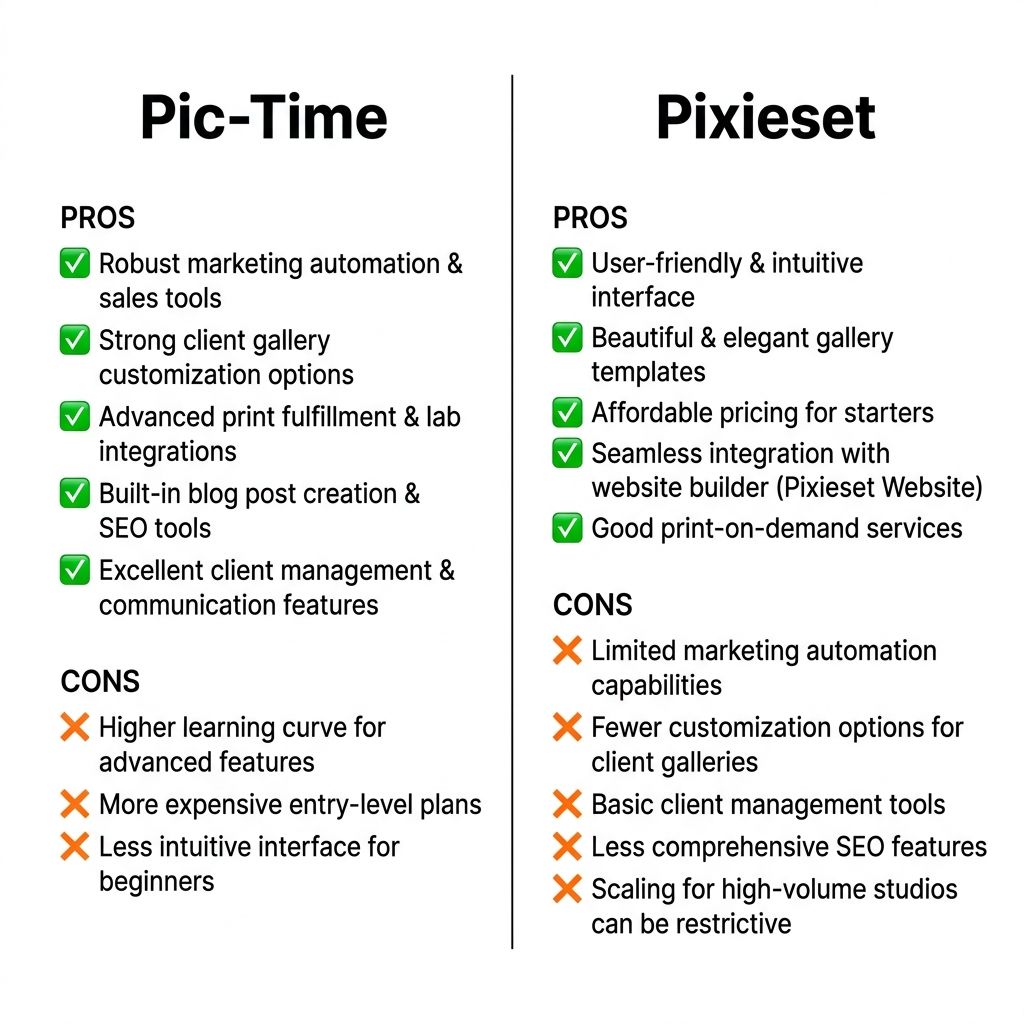
Pic-Time: Quick Pros and Cons
- ✅ PRO: Powerful built-in sales automation and campaign sequencing
- ✅ PRO: Premium, editorial-quality gallery templates
- ✅ PRO: Flexible commission structure on higher plans (varies — check official pricing)
- ✅ PRO: Lightroom Classic publishing plugin for streamlined delivery
- ❌ CON: No built-in website builder or studio management tools
- ❌ CON: Higher entry cost than Pixieset's standalone gallery plan at some tiers (verify on current pricing pages)
- ❌ CON: Learning curve for setting up automated campaign sequences
Pixieset: Quick Pros and Cons
- ✅ PRO: Suite plan bundles website, studio manager, and galleries — fewer separate tools
- ✅ PRO: Lower entry price on standalone Client Gallery plan at comparable storage (verify on current pricing)
- ✅ PRO: Clean, minimal gallery aesthetic that suits lifestyle and portrait brands
- ✅ PRO: Zero platform commission on print sales on paid plans (processing + lab costs still apply)
- ❌ CON: Marketing automation is lighter than Pic-Time's campaign system
- ❌ CON: Website and studio manager features require Suite plan — not included in standalone galleries
- ❌ CON: Print store product range may be narrower than Pic-Time depending on current lab partnerships (check current offerings)
Which Platform Should You Choose?
Is Pic-Time or Pixieset better for weddings? If your priority is automated print-sales recovery and premium gallery presentation, Pic-Time is the stronger fit. If you want a consolidated tech stack — website, booking, contracts, and galleries in one place — Pixieset Suite is the better choice. For portrait studios, the same logic applies: prioritize print revenue → Pic-Time; prioritize workflow consolidation → Pixieset.
Decision Matrix: Which Platform Fits Your Business?
| Business Profile | Recommended Platform | Primary Reason |
|---|---|---|
| Solo wedding photographer focused on print sales | Pic-Time | Campaign automation and abandoned-cart recovery drive incremental revenue |
| Portrait studio wanting all-in-one website + booking | Pixieset Suite | Bundles the full business stack under one subscription |
| High-volume event photographer | Pic-Time or alternatives like ShootProof | Depends on IPS workflow needs — evaluate both |
| Photographer transitioning from a competing platform | Either — pick on workflow fit | Migration cost is similar; fit matters more |
| Photographer on a tight budget starting out | Pixieset (free/entry) | Lowest-friction entry point |
| Studio already using separate CRM + website | Pic-Time | Avoids paying for duplicate Suite features |
💡 Still unsure? Use both free trials. Upload a real job to each platform, send the gallery to a willing past client, and compare what happens. Which gallery looks better in your brand? Which client experience is smoother? Which dashboard do you actually enjoy using? Workflow fit beats feature lists every time.
Choose Pic-Time If...
- You want automated print-sales campaigns and seasonal promotions running on your behalf.
- Gallery aesthetics and premium presentation are core to your brand.
- You're comfortable using separate tools for your website, CRM, and booking.
- Your print-sales volume is high enough that a higher-tier plan's reduced commission offsets the subscription cost.
Choose Pixieset If...
- You want website, studio manager, booking, and galleries under a single subscription.
- You're a portrait or lifestyle photographer and prefer a clean, minimal gallery aesthetic.
- You sell prints occasionally rather than systematically — advanced campaign automation isn't a priority.
- Your budget favors a lower entry subscription on a paid plan that removes platform commission.
How to Switch Between Platforms
Switching is doable. It's not casual. Treat it like a small project with a two-to-four week timeline and you'll avoid the usual pitfalls.
Pre-Migration Checklist
- ☐ Download all final image files from your current platform before making any changes
- ☐ Export any client records, order histories, or selection data available from the platform
- ☐ List all active galleries, their expiry dates, and outstanding purchase commitments
- ☐ Note any clients who have been promised ongoing access and when their windows close
- ☐ Back up everything to at least one local and one cloud location before proceeding
⚠️ Overlap your subscriptions by at least one month. Running both platforms during the transition is the single easiest way to avoid breaking links on active client galleries. Cancel the old platform only after every active client has been moved and confirmed.
Step-by-Step Migration Process
1. Export your files and records from the current platform. Download all original or export-quality images and any available client data — favorites, orders, contact details. Don't rely on the old platform staying accessible after you cancel.
2. Identify active galleries and outstanding client access commitments. List every gallery that has an active commitment — a pending print order, an album selection in progress, or a promised download window. These are the galleries that need to be migrated before anything else.
3. Rebuild a representative gallery on the new platform. Pick one full job — a complete wedding or portrait session — and rebuild it end-to-end on the new platform. This validates your upload workflow, gallery settings, branding, pricing, and client experience before you commit to migrating everything.
4. Test the client experience on mobile. Ask someone unfamiliar with your workflow to navigate the sample gallery, download an image, and attempt a print order on a smartphone. Watch what confuses them. Fix it before going live.
5. Notify clients and send updated gallery links. Email active clients with their new gallery URLs. Keep the message short: new platform, new link, same photos, here's your access info and expiry date. Keep the old gallery live for at least 30 days as a safety net.
Alternatives Worth Considering: ShootProof, Cloudspot, and Others
Pic-Time and Pixieset aren't the only options. If neither clicks, here are the main alternatives worth evaluating:
- ShootProof — strong for high-volume event photographers and in-person sales workflows.
- Cloudspot — clean delivery experience with competitive pricing at higher storage tiers.
- Zenfolio / SmugMug — longer-established platforms with deeper portfolio-site features.
Quick Alternatives Overview
| Platform | Best For | Notable Strength | Starting Price Range |
|---|---|---|---|
| ShootProof | Event + IPS photographers | Flexible pricing + strong print lab network | Verify on ShootProof pricing |
| Cloudspot | Portrait + lifestyle photographers | Clean UX + competitive higher-tier storage | Verify on Cloudspot pricing |
| Zenfolio / SmugMug | Portfolio-first photographers | Longer-established ecosystems | Verify on respective sites |
ShootProof
ShootProof is a strong contender for high-volume event photographers and studios that run in-person sales workflows. Its pricing is pay-per-gallery on some tiers and flat-fee on others, which can work out favorably if your volume is lumpy rather than consistent. Verify current plans on the ShootProof pricing page. A dedicated Pic-Time vs ShootProof comparison covers this in more depth.
Cloudspot
Cloudspot is frequently noted in photographer communities for its clean delivery experience and competitive pricing at higher storage tiers. Verify current plan details on the Cloudspot pricing page. Coverage in photography industry publications like PetaPixel and DPReview occasionally references Cloudspot alongside Pic-Time and Pixieset in workflow discussions.
Frequently Asked Questions: Pic-Time vs Pixieset
Is Pic-Time or Pixieset cheaper? At comparable storage tiers the annual subscription prices are close, but true cost depends on your print-sales volume and the commission rates on your chosen plan. Higher-tier paid plans on both platforms reduce or eliminate platform commissions, which can make a more expensive subscription cheaper overall for photographers with significant print revenue. Verify current pricing on Pic-Time and Pixieset before deciding.
Does Pic-Time or Pixieset take a commission on print sales? Both platforms charge commissions on certain plans, but the structure differs. Commission rates vary by plan tier and, on Pic-Time, by whether you or Pic-Time collects payment. On paid Pixieset plans, the platform commission drops to zero, though payment processing, production, and shipping costs still apply. Check the Pic-Time Help Center and Pixieset Help Center for current rates.
Can I use Pic-Time or Pixieset with Lightroom Classic? Yes. Both platforms offer a Lightroom Classic publishing plugin that lets you upload galleries directly from your catalog. Refer to each platform's help center for setup instructions and details on collection-sync behavior, since plugin capabilities differ.
Does Pixieset include a website builder? A website builder is included in Pixieset's Suite plan, not in the standalone Client Gallery plan. If you want a Pixieset-hosted website and studio management tools in one subscription, you'll need the Suite tier. Confirm inclusions on the Pixieset pricing page.
How do I migrate from Pixieset to Pic-Time? The core steps: download all image files and export client data from Pixieset, identify active galleries and outstanding access commitments, rebuild a representative gallery on Pic-Time to test workflow, verify the client experience on mobile, then notify clients with new gallery links. Overlap both subscriptions by at least one billing cycle to avoid gaps. See the migration section above for the full step-by-step.
Which is better for wedding photographers, Pic-Time or Pixieset? If your priority is automated print-sales follow-up — campaign emails, abandoned-cart recovery, seasonal promotions — Pic-Time has a clear advantage. If you want website, booking tools, and galleries under one subscription, Pixieset Suite is the stronger fit for a wedding studio. Neither is universally better; the right choice depends on your specific workflow and revenue priorities.
Can clients download photos for free on both platforms? Yes. Both platforms let you grant free client downloads. The specific controls — which images are downloadable, at what resolution, and whether a PIN or password is required — are set by you. Refer to each platform's help documentation for details on download permission settings.
Do Pic-Time and Pixieset offer unlimited storage? Both platforms offer plans marketed as unlimited storage at their higher tiers, subject to the provider's fair-use terms. Confirm the specific conditions on each platform's official pricing and terms-of-service pages before uploading large volumes of images.